
TopX App
The TopX app gives Indian players instant access to sports betting and casino games on a single platform. New users can claim a welcome bonus of up to ₹1,500 INR on their first deposit. Install the app today and start betting within minutes.
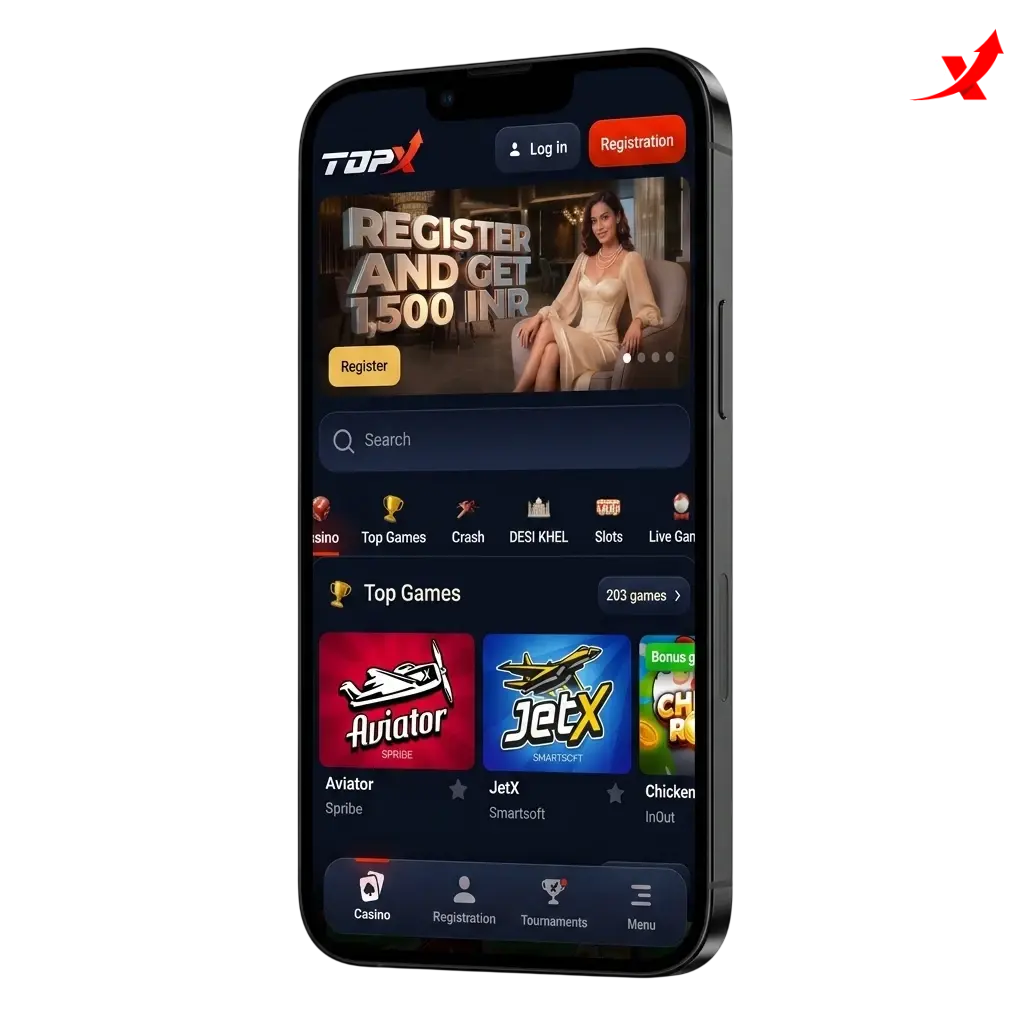
TopX App Overview
The TopX app is a licensed real-money betting and casino platform built for mobile users in India. It covers cricket, football, kabaddi, and dozens of casino titles in one install. The table below captures every key detail you need before downloading.
| App Category | Sports Betting & Online Casino |
| Licence | Curaçao eGaming |
| Supported OS | Android, iOS |
| Latest Version | Check in-app or on the download page for the current build |
| Release Date | 2023 |
| Download Cost | Free |
| App Languages | English, Hindi |
| Supported Countries | India (primary market) |
| Welcome Bonus – Sports | Up to ₹1,500 INR |
| Welcome Bonus – Casino | Up to ₹1,500 INR |
| Bet Types | Single, Accumulator, Live/In-Play |
| Customer Support | 24/7 Live Chat, Email |
Download TopX APK for Android in 3 Steps
The full download and install process takes under two minutes on any supported Android device. Follow the three steps below to get started.
- Click the “App” Button. Tap the “Download APK” button on this page. You will be taken directly to the TopX APK download page where the latest version is always available.
- Download the TopX APK. Tap “Download” on the page that opens; the APK file will save automatically to your device’s Downloads folder.
- Install the App. Open the downloaded file, tap “Install”, and launch the app once installation is complete.
Supported Devices for TopX APK Version
The TopX APK runs on all major Android brands sold in India. Any device running Android 5.0 or above is compatible, and Android 7.0 or higher is recommended for the best performance.
| Brand | Models |
|---|---|
| Samsung | Galaxy S23, S24, A54, A34, M34 |
| Sony | Xperia 1 VI, Xperia 5 V, Xperia 10 VI |
| Huawei | P60 Pro, Nova 11, Mate 60 |
| OnePlus | 12, 12R, Nord CE 4, Nord 4 |
| Oppo | Reno 12, Find X7, A79 |
| Pixel 8, Pixel 8 Pro, Pixel 8a, Pixel 9 | |
| Xiaomi | 14, Redmi Note 13, Redmi 13C |
| Poco | X6 Pro, M6 Pro, F6 |
System Requirements for Android
The TopX Android app is optimised to run on mid-range and flagship devices. It demands minimal storage and modest RAM, making it accessible on most smartphones currently used in India. A stable internet connection, either 4G or Wi-Fi, is required for live betting and streaming.
| Requirement | Specification |
|---|---|
| System Requirements | Stable 4G or Wi-Fi internet connection |
| Operating System | Android 5.0 minimum; Android 7.0 or higher recommended |
| RAM | 2 GB minimum; 4 GB recommended |
| Storage Space | 35 MB for the app; 100 MB free space recommended |
Download TopX App for iOS in 3 Steps
Installing the TopX app on an iPhone or iPad takes under a minute via the App Store. Follow the three steps below.
- Click the “App Store” Button. Tap the iOS download button on this page. It will redirect you to the official TopX listing in the Apple App Store.
- Download the TopX App for iOS. Tap “Get” on the App Store listing. The app will download and install automatically to your home screen.
- Start Betting. Open the app, log in or register, make a deposit in INR, and place your first bet.
Supported Devices for TopX iOS Version
The TopX iOS app is compatible with all iPhones and iPads running iOS 13.0 or above. iOS 15.0 or higher delivers the most stable experience for live betting and casino games.
| Brand | Models |
|---|---|
| Apple iPhone | iPhone 11, 12, 13, 14, 15, 15 Pro, 15 Pro Max, 16, 16 Pro, 16 Pro Max |
| Apple iPad | iPad 9th Gen, iPad 10th Gen, iPad Air 5, iPad Air M2, iPad Pro 11" M4, iPad Pro 13" M4 |
System Requirements for iOS
The TopX iOS app is lightweight and runs efficiently on iPhones and iPads from the last five generations. A 4G LTE or Wi-Fi connection is required for live markets and streaming. Keeping iOS updated to version 15.0 or higher avoids compatibility issues and ensures access to the latest features.
| Requirement | Specification |
|---|---|
| System Requirements | Stable 4G LTE or Wi-Fi internet connection |
| Operating System | iOS 13.0 minimum; iOS 15.0 or higher recommended |
| RAM | 2 GB minimum; 3 GB recommended |
| Storage Space | 80 MB for the app; 150 MB free space recommended |
TopX App for PC
There is no standalone TopX desktop application for Windows or macOS. PC users access the full platform through any modern web browser, including Chrome, Firefox, Safari, and Edge, with no installation required. The browser-based version mirrors every feature available in the mobile app: sports betting, live casino, INR deposits, and withdrawals. Players who prefer a larger screen can use an Android emulator such as BlueStacks to run the TopX APK on a Windows PC. The browser platform is updated automatically, so PC users always have access to the latest odds, games, and promotions without manual updates.
Registration Process via App
Creating a TopX account through the mobile app takes under three minutes. Have your mobile number or email address ready before you start.
- Open the app and tap “Register”. The sign-up button is visible on the home screen and the login page.
- Enter your details. Fill in your name, email address or mobile number, date of birth, and preferred currency (INR).
- Set a password. Choose a strong password of at least 8 characters combining letters, numbers, and symbols.
- Verify your account. Confirm your email address or mobile number via the OTP sent to you.
- Complete KYC. Upload a government-issued photo ID (Aadhaar card, PAN card, or passport) to verify your identity and enable withdrawals.
Bonuses for Mobile Players
TopX mobile players have access to the same full promotional catalogue as desktop users. The welcome bonus of up to ₹1,500 INR applies to your first deposit and covers both sports and casino. All bonuses are claimable directly from the Promotions tab inside the app. Bonus terms, including wagering requirements and expiry dates, are displayed transparently before you opt in. Notifications inside the app alert you when new promotions go live.
Welcome Bonus
| Detail | Information |
|---|---|
| Type | Deposit Match Bonus |
| Amount | Up to ₹1,500 INR on the first deposit |
| Terms and Conditions | Minimum deposit of ₹300 INR; wagering requirement of 5x for sports (minimum odds of 1.40 per selection) |
| Validity Period | 30 days from the date of deposit |
| Eligible Games | Sports betting and casino games |
How to Update TopX App to the Latest Version?
Android: The TopX APK does not update through the Google Play Store. Open the TopX app or visit the download page; a banner will appear when a new version is available. Tap “Update”, download the new APK, and install it over the existing version. Your account data and settings are preserved.
iOS: Open the App Store, go to your profile, and scroll to “Available Updates”. Tap “Update” next to TopX. Alternatively, enable automatic updates in your iPhone settings so every new build installs without manual action.
Importance of Updating TopX App
Each new version of the TopX app includes security patches that protect your account and payment data. Updates also introduce performance improvements that reduce load times in live betting markets. New casino titles, payment methods, and promotional features are rolled out through version updates, so an outdated build may miss recently added INR payment options. Running the latest version also ensures full compatibility with the newest Android and iOS operating system releases.
How to Place a Bet?
Placing a bet on the TopX app takes four steps from login to confirmation.
Log in to your account.
Open the app and enter your registered email or mobile number and password.
Select a sport and event.
Tap “Sports” from the bottom navigation, choose a sport such as cricket or football, then select the match you want to bet on.
Add a selection to your bet slip.
Tap the odds of your chosen outcome; it will appear automatically in your bet slip.
Enter your stake and confirm.
Type your stake amount in INR, review the potential payout, and tap “Place Bet” to confirm.
How to Delete TopX App?
Android: Long-press the TopX icon on your home screen or app drawer, then tap “Uninstall” and confirm. The APK file in your Downloads folder can be deleted separately using your file manager.
iOS: Long-press the TopX icon on your home screen, tap “Remove App”, then select “Delete App” and confirm.
How to Login via TopX App?
Accessing your TopX account through the mobile app is straightforward and takes under 30 seconds.
- Open the TopX app on your Android or iOS device.
- Tap the “Login” button at the top right of the home screen.
- Enter your registered email address or mobile number in the first field.
- Type your password in the second field.
- Tap “Log In” to access your account.
- Complete 2FA verification if you have two-factor authentication enabled; enter the OTP sent to your registered mobile number.
- Access your account dashboard, where your balance, open bets, and promotions are immediately visible.
TopX App Features
The TopX app combines a sportsbook and casino in a single, lightweight install of approximately 35 MB on Android. Indian-preferred payment methods, including UPI, PhonePe, and net banking, are available directly inside the app. Live betting covers over 30 sports with in-play odds updated in under one second. The casino library includes titles from providers such as Evolution, Pragmatic Play, and Ezugi. Push notifications keep you updated on odds movements, match results, and new promotions. All features are available 24/7, with customer support reachable via live chat inside the app.
Live Betting Features
The TopX live betting section covers over 30 sports, with cricket, football, tennis, and kabaddi receiving the deepest in-play market coverage. Odds refresh in under one second, giving you up-to-date pricing throughout a match. The in-play interface displays a live scoreboard, current match statistics, and a dynamic bet slip on the same screen. Accumulator betting is supported in live markets, allowing multiple in-play selections across different events. Live streaming is available for selected events, viewable directly inside the app without switching to an external platform. Cash-out functionality is available on qualifying live bets, letting you settle a wager before the event concludes. The live section is accessible from the bottom navigation bar and loads in under two seconds on a 4G connection.
Casino Games Features
The TopX casino library includes over 1,000 titles spanning slots, table games, and live dealer rooms. Game providers include Evolution, Pragmatic Play, Ezugi, and Spribe, ensuring a broad selection of certified titles. Live casino tables feature real dealers streamed in HD, with Indian-language hosts available on selected Andar Bahar and Teen Patti tables. Slots load in under three seconds on a stable 4G connection. The lobby is filterable by provider, category, and popularity, making it easy to find your preferred title. New games are added weekly and flagged in the "New" category within the app. The crash game Aviator by Spribe is prominently featured and has become one of the most played titles among Indian users.
Deposit Features
Deposits on the TopX app are processed in INR with no currency conversion fees. UPI is the fastest method, with funds credited to your account in under 60 seconds. The minimum deposit is ₹300 INR, making the platform accessible to casual players. All payment data is encrypted using 256-bit SSL during every transaction. The deposit page is accessible from the "Wallet" icon in the top navigation bar and lists all available methods clearly.
| Detail | Information |
|---|---|
| Available Payment Methods | UPI, PhonePe, Google Pay, Net Banking, Paytm, Cryptocurrency |
| Minimum Deposit | ₹300 INR |
| Maximum Deposit | ₹500,000 INR per transaction |
| Transaction Security | 256-bit SSL encryption |
| Processing Time | UPI: under 60 seconds; Net Banking: up to 30 minutes |
Withdrawal Features
Withdrawals on the TopX app are processed in INR directly to your linked UPI ID or bank account. The minimum withdrawal is ₹500 INR. The process is initiated from the "Wallet" section in the app under "Withdraw". KYC verification must be completed before your first withdrawal is approved. Withdrawal requests submitted during business hours are typically reviewed within 24 hours. Cryptocurrency withdrawals offer faster settlement for users who prefer that method. All withdrawal requests are protected by the same 256-bit SSL encryption applied to deposits.
| Detail | Information |
|---|---|
| Available Withdrawal Methods | UPI, Net Banking, Bank Transfer, Cryptocurrency |
| Minimum Withdrawal | ₹500 INR |
| Maximum Withdrawal | ₹200,000 INR per transaction |
| Transaction Security | 256-bit SSL encryption |
| Processing Time | UPI: 1–24 hours; Bank Transfer: 1–3 business days |
User Profile Features
Your TopX profile page is accessible via the account icon in the top right corner of the app. The dashboard displays your current INR balance, active bonus balance, and pending withdrawals on a single screen. A full transaction history is available under "My Transactions", filterable by date range and transaction type. You can update personal details, including your mobile number and email address, directly from the profile settings page. Responsible gambling tools, such as deposit limits and self-exclusion options, are accessible from the "Responsible Gaming" section in your profile. KYC document upload and verification status are tracked in real time within the profile panel. Notification preferences are also managed from the profile settings, giving you control over which alerts you receive.
Notification Features
The TopX app sends push notifications for account activity, including deposit confirmations, withdrawal status updates, and successful bet placements. Sports notifications cover match start reminders, live score updates for tracked events, and results for settled bets. Promotional notifications alert you when new bonuses, free bets, or limited-time offers become available. All notification categories can be individually enabled or disabled from the "Notifications" section in your profile settings. Push notifications are delivered within seconds of the triggering event on both Android and iOS. The app also sends in-app notifications visible as a badge on the bell icon, ensuring you stay informed even with push alerts turned off.
TopX App Security Protocols
All data transmitted between the TopX app and its servers is protected by 256-bit SSL encryption, the same standard used by international banking platforms. Player account details and payment information are stored on PCI-DSS compliant servers with restricted access. Login security includes mandatory password protection and an optional two-factor authentication (2FA) layer using OTP verification sent to your registered mobile number. Two-factor authentication is strongly recommended and can be enabled from the Security section of your profile settings. Payments are processed through certified payment gateways that apply additional fraud detection layers on every INR transaction. TopX operates under a Curaçao eGaming licence, which mandates independent audits of the platform’s security and fairness controls. Session tokens expire automatically after a period of inactivity, preventing unauthorised access if your device is left unattended. Players can report suspected account breaches directly via 24/7 live chat, where the security team can freeze an account within minutes.
TopX App Device Permissions
The TopX app requests a defined set of device permissions, each serving a specific function within the platform. Storage access is required to download the APK on Android and to save transaction receipts and documents for KYC verification. Camera permission is requested to allow direct document scanning when submitting KYC, removing the need to upload pre-existing files. Location permission is used to comply with geo-restrictions and ensure the platform is accessed from supported regions. Notification permission enables push alerts for bet settlements, deposit confirmations, and promotional updates. Internet access is mandatory for all features, including live betting, casino streaming, and payment processing. Biometric permission, such as fingerprint or Face ID, is requested on supported devices to enable faster login without entering a password each time. No permission grants the app access to your contacts, call logs, or SMS content beyond the OTP required for 2FA. All permissions can be reviewed and individually revoked from your device’s App Settings at any time.
FAQ
Is the TopX app legal in India?
TopX operates under a Curaçao eGaming licence. Online betting on foreign-licensed platforms is not prohibited under central Indian law, and TopX accepts players from India across all states where private online betting is not specifically restricted by local legislation.
Is the TopX app free to download?
Yes. The APK for Android and the iOS app are both free to download. No subscription or download fee applies.
Can I use UPI to deposit on the TopX app?
Yes. UPI is a supported deposit method with a minimum deposit of ₹300 INR. Funds are credited to your account in under 60 seconds in most cases.
How long does a withdrawal take on the TopX app?
UPI withdrawals are typically processed within 1 to 24 hours. Bank transfers take between 1 and 3 business days. KYC must be completed before your first withdrawal is approved.
Is the TopX app available on the Google Play Store?
No. Google restricts real-money gambling apps on the Play Store in India. The TopX APK is available for direct download from this page. iOS users can find the app on the Apple App Store.
How do I claim the ₹1,500 INR welcome bonus on the app?
Register an account, complete KYC, make your first deposit of at least ₹300 INR, and the welcome bonus of up to ₹1,500 INR will be credited automatically. The Promotions tab in the app shows your current bonus status.
Does the TopX app support Hindi?
Yes. The app is available in both English and Hindi, selectable from the language settings in your profile.
Can I watch live sports streams on the TopX app?
Yes. Live streaming is available for selected events directly inside the app. A funded account balance or an active bet on the streamed event may be required to access the stream.
Updated: